Is Your Child Ready for Their First Phone?
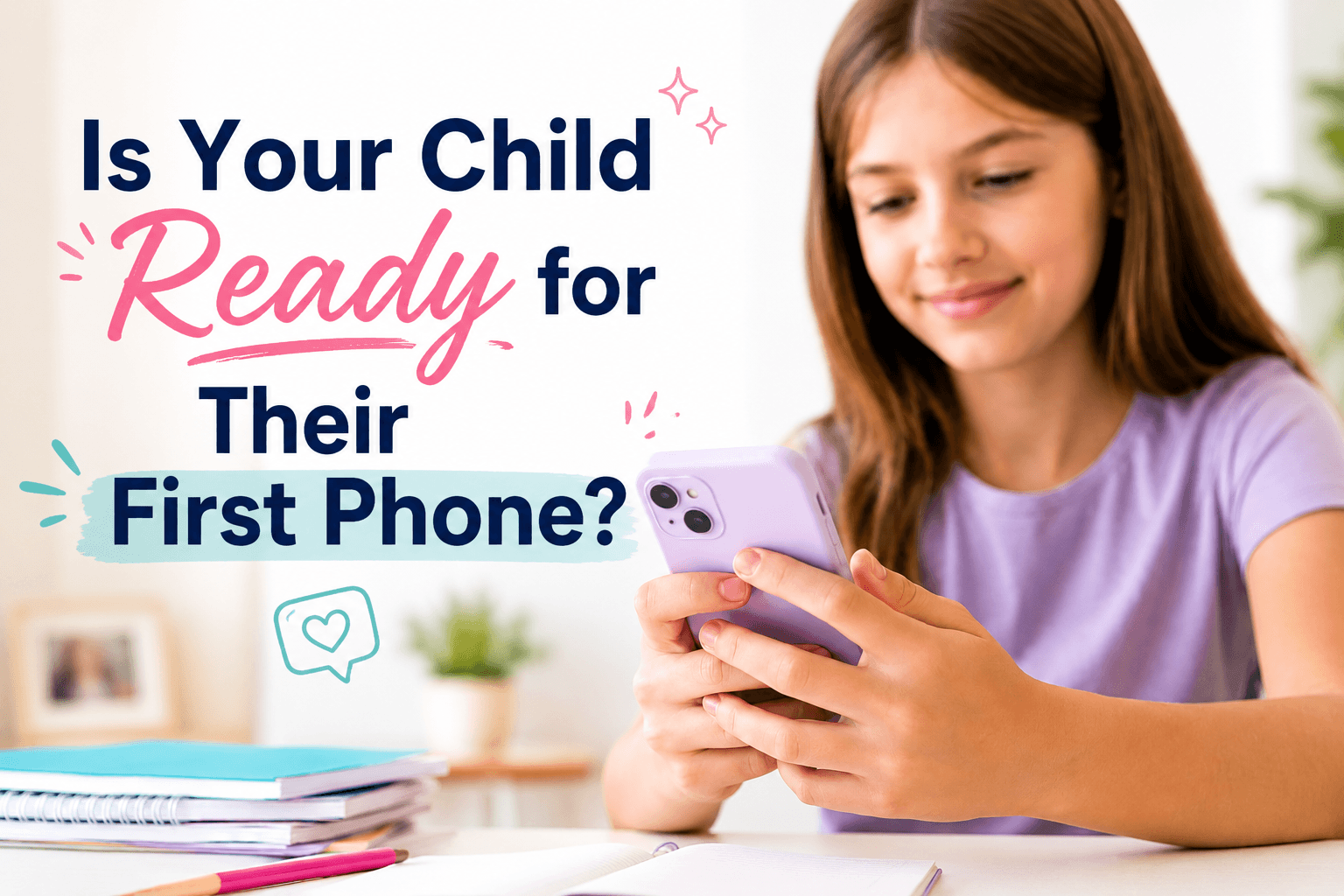
Wondering if your child is ready for their first phone? These signs of phone readiness can help you decide when your child should get a phone, what rules to put in place, and which type of first phone may be the best fit.
I’ll admit it.
I’ve always been the mom who gave my kids phones earlier than most of the moms in my circle.
Not because I wanted them glued to a screen.
Because I wanted to be able to reach them.
Sometimes the emergency is exactly what you’d expect. Sometimes the “emergency” is that they forgot to tell me which friend’s house they rode their bike to after school. Sometimes practice ends early, plans change, or someone needs a ride.
Communication is just part of life now.
For our family, having a phone has often been less about entertainment and more about logistics.
My goal has never been to keep my kids away from technology forever. That’s not realistic. Chances are they’ll carry a phone in their pocket for the rest of their lives.
I’d rather teach them how to use that tool while I’m still the one making the rules than hand them an unrestricted smartphone one day and hope they magically know how to use it responsibly.
And that is really the question.
It isn’t just, “Is my child old enough for a phone?”
It’s, “Is my child ready to start learning how to handle one?”
Age matters a little.
Responsibility matters a whole lot more.
Ready for Their First Phone? Watch on YouTube

What Age Should a Child Get Their First Phone?
There isn’t one magical age when every child suddenly becomes ready for a phone.
One 10-year-old may be biking to friends’ houses, staying after school for activities, and regularly needing to communicate with parents.
Another 12-year-old may almost always be with an adult and have very little reason to carry a phone.
Both situations are completely normal.
Instead of starting with a specific age, I would start by asking why your child needs a phone in the first place.
Are they:
- Walking or biking to school?
- Staying home alone for short periods?
- Going to practices or activities without you?
- Spending more time with friends independently?
- Moving between two households?
- Getting picked up from school activities at changing times?
- Starting to ask for more independence?
- Dealing with a co-parenting situation
A real communication need is one of the biggest signs that it may be time.
That doesn’t automatically mean they need a full smartphone with unlimited apps, social media, internet access, and every feature their friends have.
A first phone can be much simpler than that.
Signs Your Child Is Ready for Their First Phone
No child is going to check every single box perfectly. Mine certainly haven’t.
You’re looking for patterns that show they are ready for a little more responsibility.
They Have a Real Reason to Need One
“I want one because everyone else has one” probably isn’t the strongest reason on its own.
But if your child is beginning to spend more time away from you, a phone can become genuinely useful.
The ability to call or text when practice ends early, plans change, or they need a ride can give kids more independence while still keeping parents in the loop.
They Usually Tell You Where They’re Going
If your child is already pretty good about telling you where they’re going, who they’re with, and when plans change, that’s a good sign.
A phone should make communication easier.
It shouldn’t become a replacement for communication.
“I texted you once six hours ago” does not magically count as keeping Mom informed.
They Can Follow Rules
Phones come with rules.
There may be times when phones stay out of bedrooms, get put away during homework, charge overnight in a common area, or aren’t allowed at the dinner table.
If your child can generally follow household rules even when they don’t particularly like them, they’re more likely to handle phone rules too.
They Take Care of Their Belongings
Kids lose things. That’s basically part of childhood.
But if your child regularly leaves expensive belongings at school, loses jackets every other week, or has no idea where their backpack is while literally wearing it, you may want to think carefully before handing over an expensive phone.
A sturdy case helps.
So does starting with a phone you won’t cry over if it gets dropped.
They Can Handle Hearing “No”
This one matters more than I think parents sometimes realize.
Your child might be ready for a phone without being ready for TikTok. Can they handle you telling them “no” without it turning into a battle for the ages.
They may be ready to text family without being ready for every group chat their friends are in.
They may be ready for a few approved apps without being ready to download whatever they want.
A child who can hear “not yet” without turning every limit into an ongoing battle is much easier to guide through those stages.
They Understand a Phone Is a Tool
Phones are fun.
I’m not going to pretend my kids only use theirs for wholesome family communication and checking the weather.
But kids need to understand that having a phone comes with responsibilities.
They need to answer when a parent calls. They need to keep it charged. They need to use it appropriately at school. They need to understand that access to certain features can change if they’re not using them responsibly.
They Are Honest When They Make Mistakes
This might be one of the biggest signs of readiness.
Your child will make mistakes with a phone.
At some point they may click something they shouldn’t, respond to someone they should have ignored, break a family rule, or discover that group chats are approximately 73% chaos.
You want your child to know they can come tell you when something goes wrong.
A child who usually tells the truth even when they know they’re going to be in trouble is in a much better position to learn healthy phone habits.
They Don’t Need Every Feature Immediately
A first phone doesn’t have to do everything.
Honestly, I think that’s one of the best things about giving kids phones earlier.
You have time to add privileges gradually.
Calling and texting can come first.
Then maybe a few apps.
Then additional internet access.
Then social media, if and when you decide they’re ready.
You don’t have to hand over the entire internet on day one.
Signs Your Child Might Not Be Ready Yet
Sometimes the answer really is “not yet.”
You may want to wait, or start with a more limited device, if your child:
- Frequently loses or breaks belongings.
- Struggles significantly with following basic household rules.
- Becomes extremely upset when screen time ends.
- Has difficulty stopping games or videos once they start.
- Regularly hides online activity.
- Is already struggling with sleep because of screens.
- Assumes getting a phone automatically means getting social media.
- Is unwilling to accept parental controls or phone rules.
None of those things mean your child can’t have a phone for years.
They may just mean you need a phone with stronger limits or a little more time before adding certain features.
You Have to Be Ready Too
This is the part parents sometimes forget.
Your child’s readiness isn’t the only thing that matters.
You need to be ready to parent the phone.
That means deciding ahead of time what you are comfortable with.
- Will phones charge outside bedrooms at night?
- Can your child download apps without asking?
- Are you going to use location sharing?
- What happens if they lose the phone?
- Can you look through the phone?
- When can they join social media?
- What happens if they break the rules?
You don’t have to predict every possible situation before your child gets a phone.
You probably couldn’t if you tried.
But having basic expectations in place before the phone comes out of the box prevents a lot of arguments later.
Decide What Your Child Actually Needs From a First Phone

Before you start comparing phones, make a short list of the things you actually want the phone to do.
For many younger kids, that list is surprisingly simple.
You may want:
- Calling
- Texting
- GPS location
- Parent-approved contacts
- A camera
- Music
- A few approved apps
- Strong parental controls
- Limited or filtered internet access
Your child may have a slightly different list.
Their list may include approximately 47 additional things.
This is where choosing the right type of first phone becomes important.
Does a First Phone Need to Be a Smartphone?
Not necessarily.
There are several good ways to approach a first phone.
Some parents start with a basic phone that mainly handles calling and texting.
Others choose a kid-focused phone with parental controls built into the device or service.
Some families hand down an older iPhone or Android phone and lock it down using parental controls. That’s what we did because we had old iPhones and we knew how to use the parental controls. There’s definitely something to be said for using the device you understand.
The right answer depends on what you need the phone to do and how much access you want your child to have.
For younger kids especially, I like the idea of starting with fewer features and adding more freedom over time.
It’s much easier to add privileges than to give a child full access and then try to take half of it back.
Why I Started My Kids With Gabb Phones

For my own kids, I started with Gabb phones as their first phones.
That worked really well for what I wanted at that stage.
I wanted my kids to be able to call me.
I wanted them to be able to text me.
I wanted them to have a phone when they were at activities, with friends, or away from home.
What I did not feel like they needed yet was unrestricted access to everything that comes with a traditional smartphone.
That was the appeal of Gabb for me.
It gave my kids a way to communicate and start learning phone responsibility without making their very first phone an all-access pass to the internet, social media, endless apps, and every possible distraction.
It felt like a good middle ground between no phone at all and a fully open smartphone.
And honestly, I liked being able to separate those decisions.
“You’re ready for a phone” did not automatically have to mean “you’re ready for social media.”
“You’re ready to text Mom after practice” did not automatically have to mean “you’re ready to download any app you want.”
Those are very different levels of responsibility.
Starting with Gabb gave us room to teach the basics first.
Things like:
- Keep your phone charged.
- Answer when Mom calls.
- Let me know when plans change.
- Take care of the phone.
- Learn appropriate texting habits.
- Don’t give your phone number to everyone.
- Use your phone as a communication tool instead of letting it take over your life.
Those may sound like simple lessons, but they are exactly the skills kids need before they move on to more freedom.
I Liked the Built-In Guardrails
One of the biggest reasons I liked Gabb as a first phone was that I didn’t have to spend as much time trying to turn a regular smartphone into something appropriate for a younger child.
Kid-focused phones are designed around the idea that parents may want calling, texting, location features, and some carefully controlled apps without giving their child unrestricted access right away.
That made the transition easier for me.
Instead of starting with everything and taking things away, we could start with less and add more as my kids got older.
I much prefer that direction.
Location Features Were Important to Me
Location features were another big reason I wanted my kids to have phones in the first place.
As kids get older, they start doing more without you.
They ride bikes to friends’ houses.
They stay after school.
Practice ends early.
They get rides with other families.
Plans change.
Being able to check where they are or have them contact me gives me a little more peace of mind while still letting them have more independence.
Gabb Made It Easier to Add Freedom Gradually
This is probably the biggest reason I still like the idea of Gabb for a first phone.
Kids do not need every piece of technology freedom all at once.
You can give them one layer of responsibility and see how they handle it.
Then add more.
Maybe first they learn to manage calling and texting.
Then they get access to a few approved apps.
Later you revisit internet access.
Then you make a completely separate decision about social media.
That gradual approach feels much more realistic to me than expecting a child to go from no phone experience to managing the entire digital world overnight.
Your child can absolutely be ready for a phone without being ready for the whole internet.
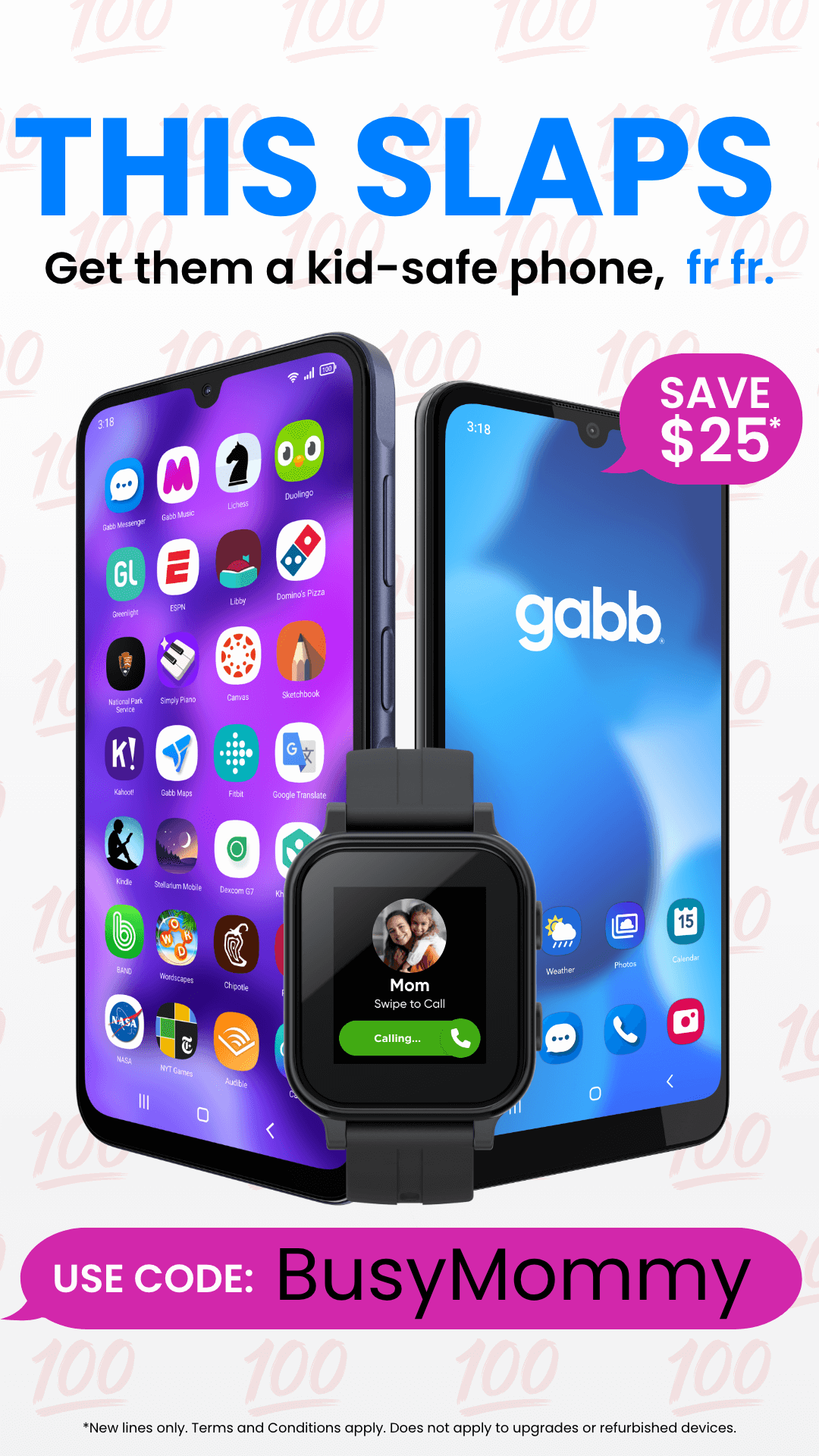
Gabb is one of my favorite first-phone options for kids because it gives them the communication tools they actually need without immediately opening the door to every app, social media platform, and internet rabbit hole. Kids can call and text, parents can use location tracking, and the overall experience feels much more age-appropriate than handing a younger child a full smartphone on day one. I especially like Gabb for families who want to teach phone responsibility in stages instead of jumping straight from no phone to unlimited access. You can also save on your Gabb purchase with the code BusyMommy.
Should Kids Have Social Media When They Get Their First Phone?
Not automatically.
Getting a phone and getting social media do not have to happen at the same time.
I actually think it helps to separate those decisions.
Your child can be completely ready to call Grandma, text you after practice, and use a family group chat while still not being ready for Snapchat, Instagram, TikTok, or other social platforms.
Social media brings a completely different set of decisions involving privacy, strangers, comparison, bullying, inappropriate content, and the simple fact that kids can say remarkably dumb things in writing.
You can decide on those apps individually instead of treating smartphone ownership like an all-access pass.
I’ve been lucky that most of my kids have not cared about social media. I have found that giving them access to it later has helped us to avoid a lot of issues that we could have been dealing with.
Make a Family Phone Plan Before You Hand Over the Phone
This doesn’t have to be a 14-page legal contract.
Although, depending on your child, you may be tempted.
Consider talking about:
- Where phones charge at night.
- When phones are allowed at school.
- Whether phones are allowed during meals.
- Which apps require permission.
- Whether location sharing stays turned on.
- What your child should do if a stranger contacts them.
- What to do if they see something online that makes them uncomfortable.
- Whether parents can check the phone.
- What happens if the phone is lost or damaged.
- What happens if phone rules aren’t followed.
Kids also need to know that coming to you with a problem will always go better than trying to hide it.
Phones create some situations kids aren’t prepared for.
That’s exactly why we need to keep the conversation open.
Teach Phone Responsibility Gradually
Giving your child a phone doesn’t mean the teaching part is finished.
It’s really when the teaching starts.
Talk about things like:
- Not sharing personal information.
- Never sending photos they wouldn’t want shared.
- Asking before posting pictures of other people.
- Ignoring or blocking strangers.
- Telling you when something online feels wrong.
- Understanding that screenshots exist.
- Being kind in texts and group chats.
- Putting the phone down when someone is talking to them.
- Keeping the phone charged when they’re away from home.
Some of these lessons will have to be repeated.
Probably many times.
That’s okay.
We repeat reminders about homework, deodorant, dishes, backpacks, and approximately everything else our kids are learning to manage.
Digital responsibility is just another skill.
My First Phone Recommendations
Every family has different needs, so I don’t think there is one perfect first phone for every child.
For my own kids, I started with Gabb phones, and that’s still one of the first options I would look at for a younger child’s first phone.
I liked being able to give my kids the communication and location features I wanted without automatically giving them unrestricted access to everything that comes with a traditional smartphone.
That said, your child may need something different depending on their age, activities, maturity level, and how much control you want over apps and internet access.
When I’m comparing first phones, these are the features I pay the most attention to:
- Parent controls that are actually usable.
- GPS and location features.
- Who can contact your child.
- Whether internet access can be limited.
- App approval options.
- Monthly cost.
- Contract requirements.
- How easy it is to add more features as your child gets older.
The best first phone isn’t necessarily the one with the most features.
It’s the one that gives your child the amount of independence they’re ready to handle right now.
Gabb is one of my favorite first-phone options for kids because it gives them the communication tools they actually need without immediately opening the door to every app, social media platform, and internet rabbit hole. Kids can call and text, parents can use location tracking, and the overall experience feels much more age-appropriate than handing a younger child a full smartphone on day one. I especially like Gabb for families who want to teach phone responsibility in stages instead of jumping straight from no phone to unlimited access. You can also save on your Gabb purchase with the code BusyMommy.
Questions to Ask Before Buying Your Child’s First Phone
Before you choose a phone, ask yourself:
- Why does my child need a phone?
- Who do they need to communicate with?
- Do they need internet access?
- Do they need apps?
- Do I want GPS location features?
- How much parental control do I want?
- Am I comfortable with them having a browser?
- What is my monthly budget?
- What happens if the phone is lost or broken?
- What features can we add later instead of now?
Those answers will usually narrow down your options pretty quickly.
First Phone FAQ
What is the best age for a child’s first phone?
There isn’t one perfect age. Readiness, independence, family circumstances, and your child’s need for communication matter more than a specific birthday.
Should a child’s first phone be a smartphone?
Not necessarily. Some kids mainly need calling, texting, location features, and a few parent-approved options. A limited smartphone or kid-focused phone can be a good transition before moving to a traditional smartphone.
Is Gabb a good first phone for kids?
Gabb can be a good first-phone option for families that want kids to have calling and texting without immediately giving them unrestricted smartphone access.
I started my own kids with Gabb phones because I liked having a more gradual transition into phone ownership.
Gabb is one of my favorite first-phone options for kids because it gives them the communication tools they actually need without immediately opening the door to every app, social media platform, and internet rabbit hole. Kids can call and text, parents can use location tracking, and the overall experience feels much more age-appropriate than handing a younger child a full smartphone on day one. I especially like Gabb for families who want to teach phone responsibility in stages instead of jumping straight from no phone to unlimited access. You can also save on your Gabb purchase with the code BusyMommy.
Should kids have social media when they get their first phone?
Not automatically.
Phone ownership and social media access are two separate decisions.
A child may be ready for the responsibility of communicating with family long before they are ready for social media.
Should I monitor my child’s first phone?
Especially with younger kids, I think parents should stay involved.
That doesn’t necessarily mean reading every text.
It does mean knowing which apps they are using, talking about who they communicate with, having clear rules, and paying attention to changes in behavior.
The amount of supervision can gradually change as your child gets older and demonstrates good judgment.
I have always taken the stance of telling my kids that I can check their phone at anytime, but I make a habit of asking them if I can check their phone on the rare occasions that I need to, because respect goes both ways. That way the door is open if there is ever a safety issue and I need to check their phone in an emergency but they know I will always try to let them know that I’m checking their phone first.
That being said, if I was ever suspicious of behavior that was concerning, I would be checking without advanced notice. I’ve been really lucky that I have been able to stay ahead of most issues by having open conversations with my kids or using parental control software like Bark with kids who needed it.
Should phones stay out of kids’ bedrooms at night?

For many families, charging phones in a common area at night is a simple rule that helps reduce late-night scrolling, texting, and sleep disruption.
It’s also much easier to establish that rule with the very first phone than to introduce it three years later.
If kids are going to get in trouble with something on a phone, it is most likely going to happen behind closed doors.
The Goal Isn’t to Keep Kids Away From Technology
Eventually, our kids are going to have access to technology we can’t completely control.
That’s part of growing up today.
The goal isn’t to keep them away from phones forever.
It’s to give them enough independence to learn while we’re still close enough to guide them.
Start with the amount of technology your child is ready for today.
Teach them how to handle it.
Then give them more freedom as they show you they’re ready.
For our family, starting with Gabb phones made that transition easier.
And I would much rather teach those lessons one step at a time than hand over the entire internet and hope for the best.